

Here at The Information Lab we aim to keep up to speed on the latest Tableau product updates and news, and this includes any potential bugs or errors discovered and publicized. However, we commonly face questions like:
"I'm looking to upgrade - are you aware of any known issues in the latest releases?"
and
"I'm facing an error message, how can I look up if it has been documented?"
Whilst we have most this knowledge in-house, the main repository for all Salesforce product issues is the Salesforce Known Issues page.
However, it's known to be challenging to find relevant Tableau specific issues. You can use the category filter but the 'Found In Release' option is just release season rather than product versions. The issue cards are chunky and take a long time to browse. The free text search has been known to miss relevant issues (more on that later).
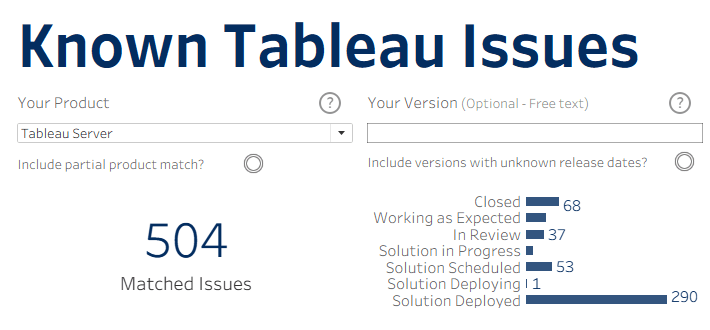
To that end, I've been working at a potential solution for a while to allow you to more easily identify issues potentially relevant to your specific scenario. The result is the dashboard below which refreshes once a week and should contain all known Tableau issues and allow a quicker, more thorough browse of potentially relevant product information!
Example Use Case
Here's one good example that demonstrates why it's worth bookmarking this page. Lets say you're facing an issue using a Google BigQuery data source on Tableau Server 2025.1.3. If you filter to Tableau Server on the Salesforce Issues page and enter in "bigquery 2025.1.3" in the search bar, you get one result which doesn't actually mention BigQuery in the content.

However, searching for issues potentially related to BigQuery and Tableau Server 2025.1.3 you get 3 potential matches.
If you tick the option to include results where the product version release date is unknown (older version release dates aren't available to add to my data set), you then have 5 potential matches.
If you then also tick the option to include partial product matches (e.g. the issue for Tableau Cloud but the description mentions Tableau Server) then you now have 8 issues to review.

Full Summary
What is this?
This dashboard contains the information from all issues related to Tableau products in the Salesforce Issue pages.
How do I use it?
Simply select your product and start browsing! Use the other filters to help narrow things down - more detail is given in the info icons for some of the options.
If you find an issue you think is relevant, simply click anywhere on its row to load up the Salesforce Issue page for it!
How often does this update?
It updates once a week on Sunday at 00:00 UTC (as long as the schedule runs okay!).
Why was this made?
It's very difficult to search for issues related to your version of your Tableau product specifically on the Salesforce issue pages. The aim of this dashboard was to create a repository of all know issues where you can search for your product and version and find all issues that could be related.
Are all matches relevant?
I absolutely cannot guarantee that. Tableau does not have advanced search options and the Salesforce Issue data itself is inconsistent so needs more work than I can currently commit in order to clean every single issue page. It simply does it's best to find anything that could be a match given your search parameters!
How was this built?
This data is obtained using the underlying API in the Salesforce Issue pages. By scraping the data, I've made a basic issue repository which can be browsed using this dashboard.