


Alteryx Server has a number of different roles that can be applied to users and groups in the Gallery and it’s not always clear what the effective role for a specific user is at a given time. It’s important to know how to check this and to be able to understand how they may have acquired this role based on your admin choices when configuring the Gallery, the User, and any Groups they may be a part of!
What are Roles?
Roles determine the permissions and capabilities allowed to users on your Gallery. There are five roles, each more permissive than the last. In order from least permissive to most permissive they are:
No Access
Viewer
Member
Artisan
Curator
To view the exact permissions given by each role you can check out the permissions table here:
Users can also be assigned the Role of “Default”, which means they take on the default role set on the Gallery as a whole as described below.
Where are Roles set?
Roles can be set in 3 places:
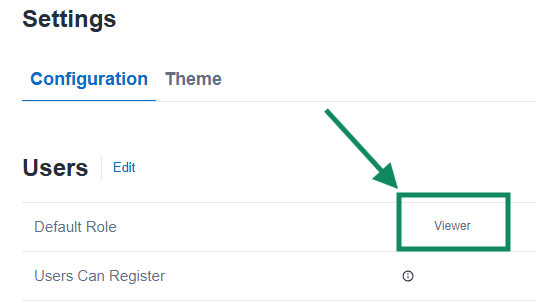
1. The Gallery “Default” Role
In the Server Configuration page in the Gallery you can set a Default role that all users take on if they aren’t assigned a role via other means.
2. User Assigned Roles
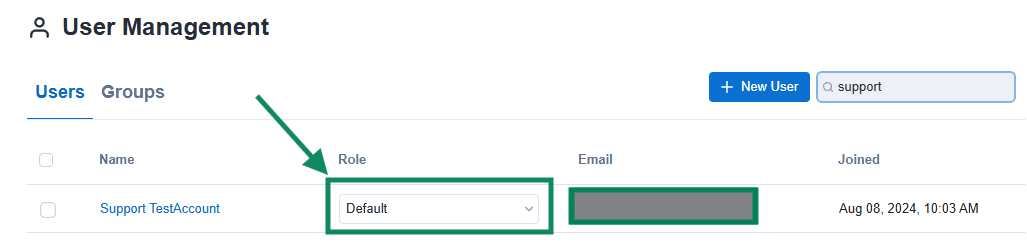
You can assign specific roles to specific users.
3. Group Roles
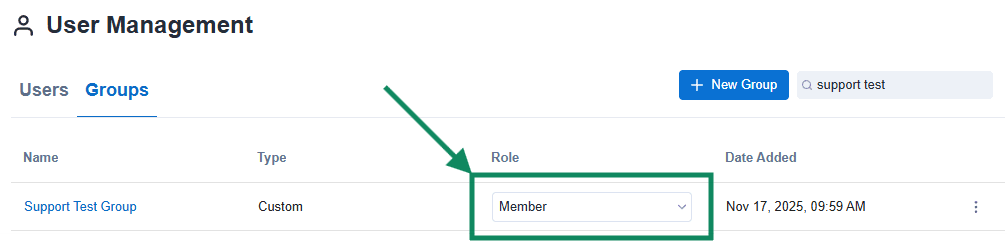
You can also assign roles to Groups that users then adopt if they are part of that Group.
Role Hierarchy and Effective Permissions
The effective role assigned to a user can be determined via the following chart:
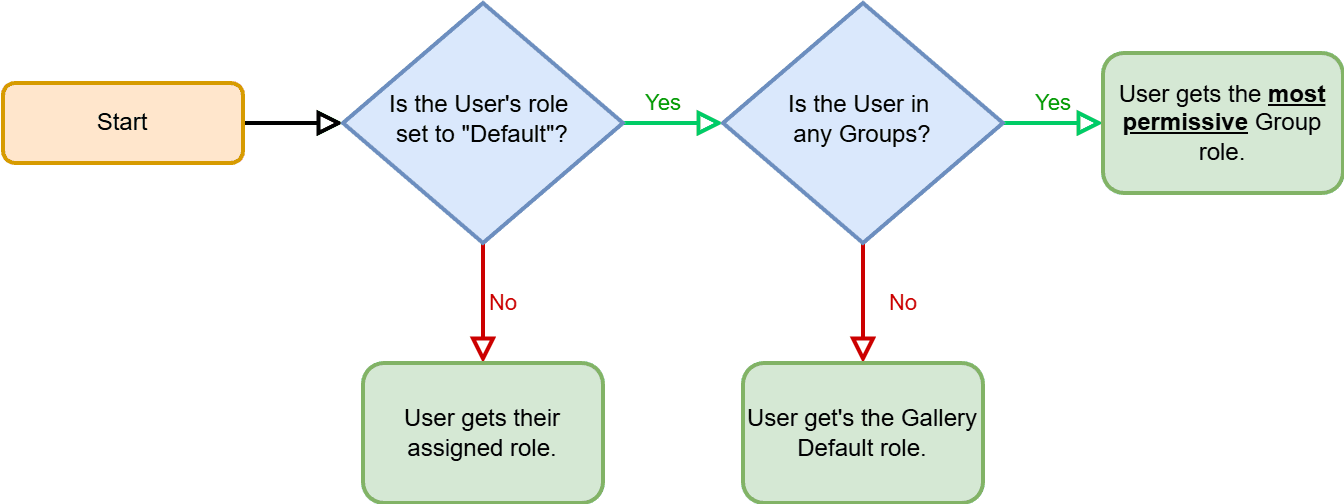
This can be summarized into:
1) If a User has a specific role assigned to them, they get that role.
2) Otherwise, if a user is a member of one or more Groups they take on the role of the Group.
If they are a part of multiple groups, they take on the most permissive role possible.
E.g. if a User is part of Group A with role Viewer, and Group B with role Artisan, then they get the role of Artisan as Artisan is more permissive than Viewer!
3) If the user has no individual role assigned and is not part of any groups, then they get the Gallery Default role.
Viewing the Effective Permissions for a Single User
If you look at the list of users in the Gallery, it only shows their assigned role, not their effective role as described above.
In order to view a user’s effective role, click onto their individual profile. It’s displayed at the very top!
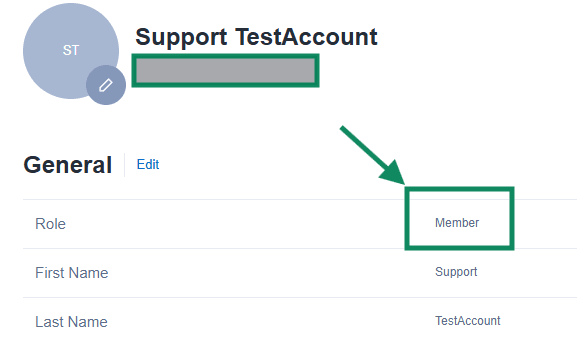
Here my example account has the effective role of Member as their User role was Default and they're a part of the 'Support Test Group' which has the role of 'Member' assigned to it!