

There's been a wave of new dbt releases this month (see here for a full list). As I was learning more about each of them, dbt Wizard stood out for me as an analytics engineer and it reminded me of a demo I did last year.
At the 2025 Tableau and dbt conference, I co-presented how dbt and Tableau work together to deliver trusted, governed analytics. A part of this demo was dbt copilot. I walked through how to generate documentation for a model with a single click, scaffold out data tests, and even build a semantic model on top of an existing model. It landed well but if I'm honest, it was a bit slow, occasionally clunky, and every single thing I did was in isolation, model by model. That’s because copilot is single-step only and can't chain steps together.
Fast forward to now. dbt Wizard offers a multi-step approach to workflows by planning, pulling context, proposing changes, validating, and summarising the outcome in one continuous loop. I attended a webinar on exactly this last week and so let's walk through two fairly straightforward examples I experimented with myself to see the processes dbt Wizard takes.
.
Renaming a Column
I asked dbt Wizard: "I've been tasked with changing the column name device_id to source_id. Can you help update this across my entire dbt project?"
Here's what happened.
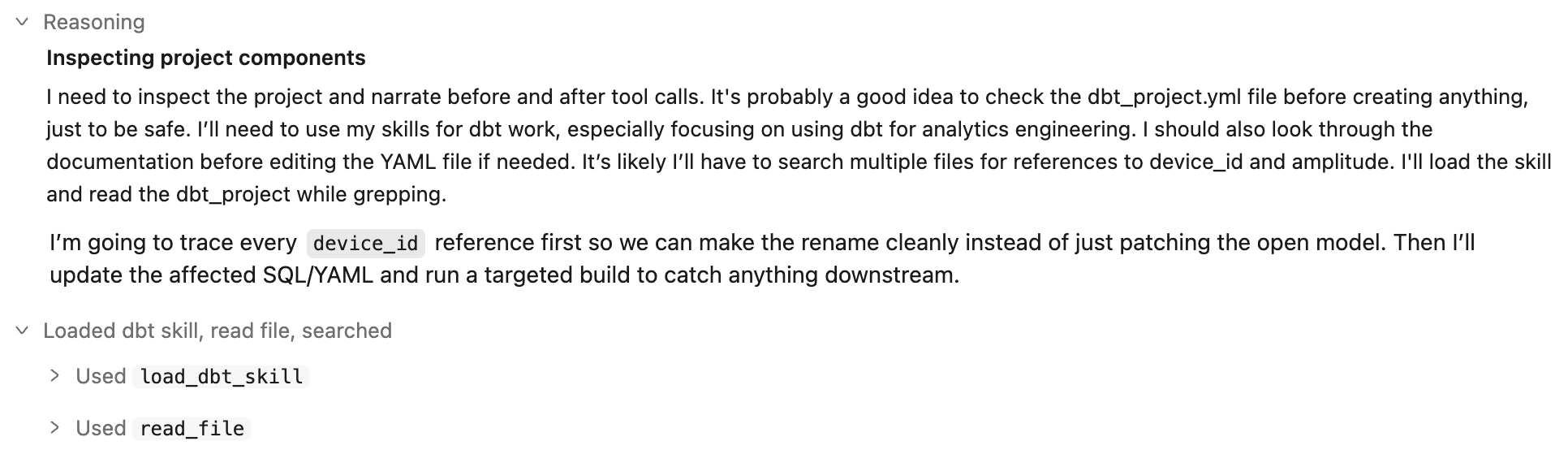
It started with an inspection. Wizard checked dbt_project.yml, loaded relevant dbt-specific skills, and read through existing project documentation before touching anything. It then laid out a plan for how it would execute my request:
Trace every device_id reference first rather than just patching the model I had open
Update the affected SQL and YAML files
Run a targeted build to catch anything downstream
.
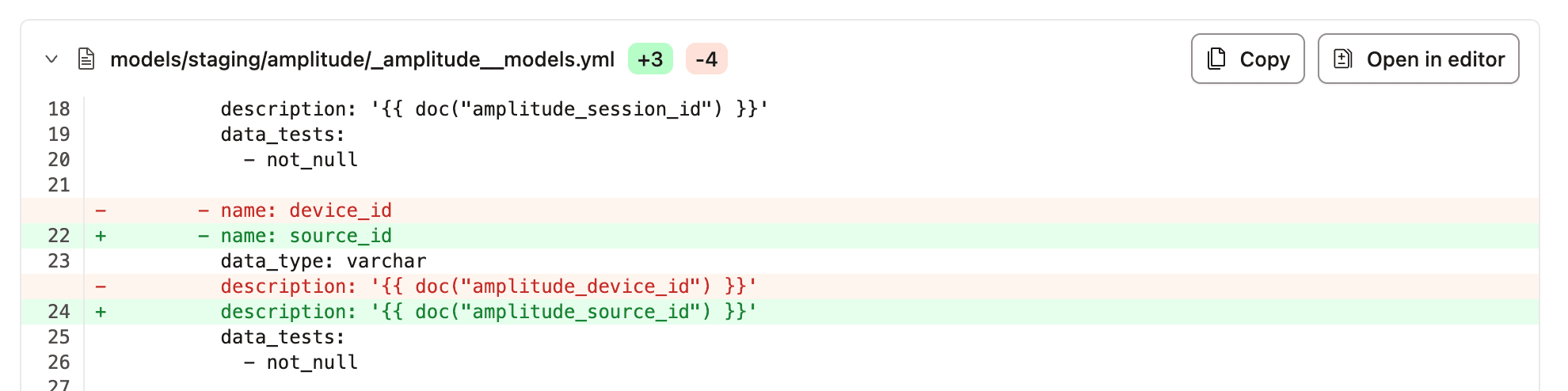
Then it made the edit. It found where device_id first entered the project as a raw JSON field and aliased it to source_id. It then updated every downstream SQL and YAML reference, including the doc blocks, all in one pass. Each update is clearly highlighted for review, like the example shown below.

.
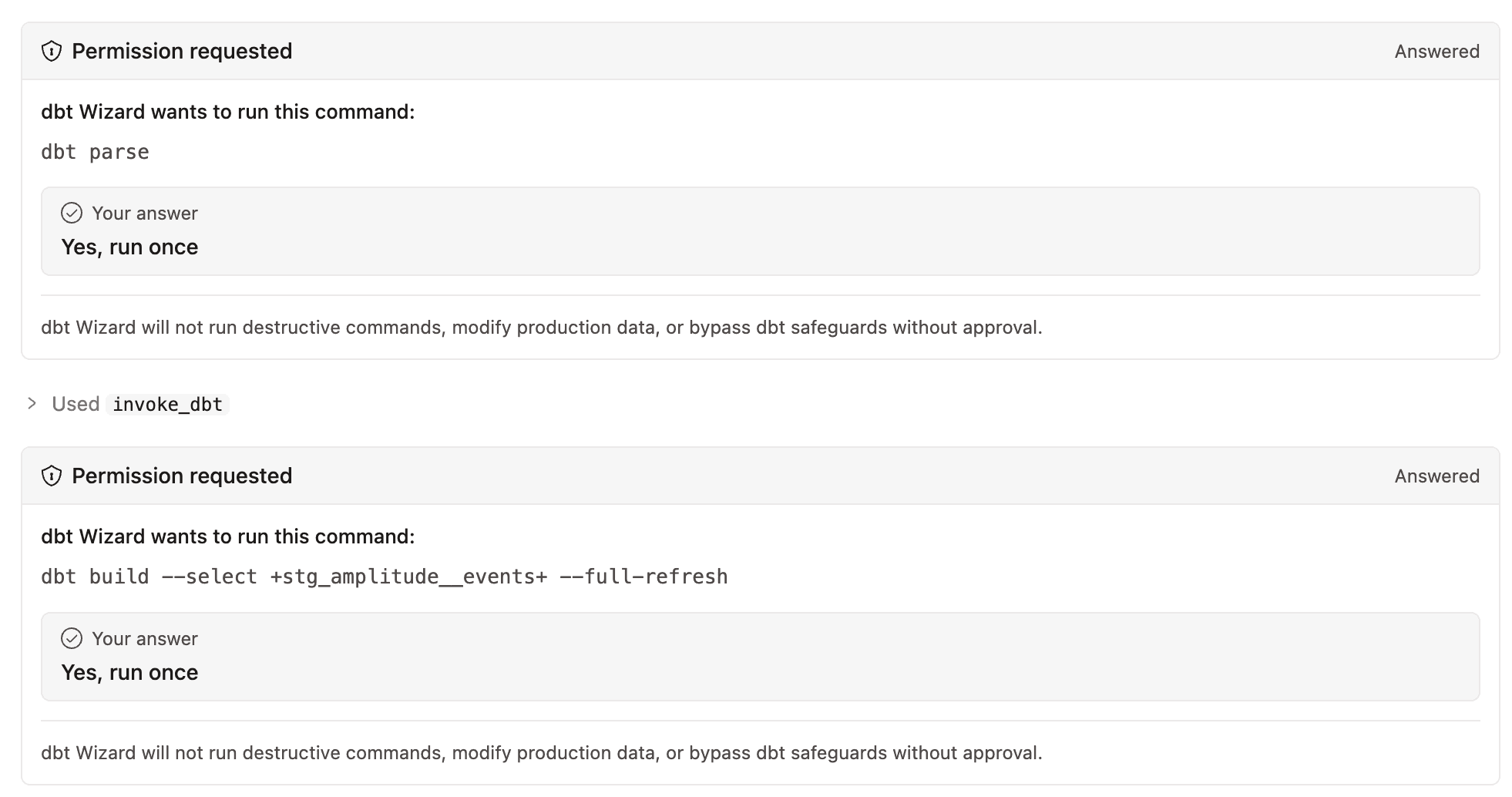
Then it ran dbt parse and dbt build. Before executing either command it explicitly asked for my permission to run them. dbt Wizard won't run destructive commands, modify production data, or bypass dbt safeguards without approval.
dbt Wizard made sure the updated code still ran cleanly against all upstream and downstream models, with all tests passing (executed with + either side of the model selection). It also correctly forced a full refresh to make sure the schema change was properly reflected across the entire table.
 .
.
Finally it told me what had changed. It provided a list of where device_id is now exposed as source_id and confirmed the success of the full DAG build.
I didn't have to inspect where device_id was being used within the project, check the doc blocks separately, or manually rebuild downstream to confirm nothing broke. dbt Wizard treated all of that as one task, asked before doing anything irreversible, and showed me exactly what it had changed at the end.
.
What makes this possible? dbt Wizard's metadata engine.
The metadata engine is a structured index of your entire project that's built before you've typed a single prompt. Think of it like a map of a whole city rather than walking every street to work it out as you go. That's why Wizard could trace every device_id reference across the project before touching anything, rather than discovering them one at a time. It's also why the build it ran afterwards could target exactly the right branch of the DAG to confirm nothing downstream had broken.
.
Tell me everything about this dbt project
A second example is asking dbt Wizard to help you get up to speed on a project you've just inherited.
dbt Wizard returned a detailed overview in one go covering the entire DAG traced from source to marts, the project's structure and grain explained, and a genuinely useful list of issues I hadn't caught myself. This included a broken test referencing a model that no longer existed, a package compatibility warning, and a custom test sitting on the wrong model. It also prioritised what it would fix first and work with me to implement them.
It was like having someone who knew the project inside out educate me on it.
.
Other use cases for dbt Wizard
Refactor across files: rename a model and the refs follow, or restructure a mart and the downstream tests update with it
Migrate stored procedures: legacy logic gets translated into dbt models, tests, and docs in one go
Fusion migration: works out what's fixable on its own, applies those fixes, and flags what still needs a person to look at
Semantic layer changes: add or modify metrics and dimensions with full project context
Tests and docs: generates coverage based on how each model is actually used downstream, not just generic checks
.
What you need to know to get started today
dbt Wizard is live now. The home tab and Studio integration are both available on the dbt platform (beta and preview respectively), and there's a separate CLI if you want to run it from the terminal.
As dbt themselves put it: "No MCP infrastructure to configure, no DIY system to maintain. Just connect and start shipping." I've had fun playing around with it and I can immediately see how impactful it could be for analytics engineers doing this kind of work day to day.
dbt Wizard isn't the first tool to give an AI agent visibility into a dbt project. If you've used the dbt MCP server you'll already know that. What's different is dbt Wizard doesn't need wiring up. It already knows your full project context, comes with pre-built dbt skills, and keeps a concrete audit trail of every change without you having to build that yourself.
See the official dbt Wizard page for further information and to give it a try yourself!