

4 February 2015
By offering a 14 day trial Tableau offers something fantastic, a hands on fully featured demo that gives you the chance to trial the software with your own data. While this isn't unique it's a breathe of fresh air when compared to sites that force you to email / contact them for a demo - often one that is Sales driven and not hands on. I find allowing a trial download is a measure of the usability of the software and clearly demonstrates the confidence of the vendor in their product... but I digress...14 days, two working weeks, should be ample time to get a flavour of the software but getting the most from your trial requires some planning and preparation. Here are my top tips to get the most from your trial: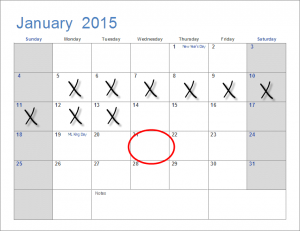 1. Clear your Calendar Don't activate the trial until you've got some time in your diary. It sounds obvious but it's easy to think you'll find time later, especially in the excitement of downloading the product, however it rarely happens that way and you'll find two weeks slip by before you know it. Use block bookings in your calendar to book a solid couple of hours each day to focus on the trial and treat it as sacred time, turn off emails and if you can escape your desk.2. Get some Training On demand training videos can give you a great head-start in your learning for the trial, watch a few before you activate your trial and then come back to them when you're trying to do something specific. Usually less than 10 minutes each these videos can show you how to achieve specific tasks and save a few hours of trial and error.3. Ensure your Data is up to scratch Your POC is only going to be as good as the data you put into it and so spend some time before you activate your trial checking your data sources. Tableau thrives best off raw level data, that hasn't been summarised. If you have a choice then we suggest tall, thin datasets are better e.g. try to get a dataset with a year column and corresponding value, as opposed to having a column per year.4. Start Simple Use Tableau to do what it is best at; exploring raw data and amswering key questions along the way. Avoid starting from an existing report and trying to replicate it. There are many problems with this approach, not least the assumption that the report is the best way of working with the data; more likely it is the best way given the limitations of your existing solution. We would advise starting instead with a simple question, e.g. Who buys our product? Then use combinations of dimensions and measures to answer the question...e.g. Sales on rows, Age Group on Columns. Sales on rows, Gender on Columns. No need to get too complicated at this stage, build what you can using the Show Me pane - explore the visualisations on offer and don't try to be too clever, there's time for that later.5. Limit time getting it 'just right' It's easy to spend time tweaking every last element of your dashboard to get it perfect, but don't at this stage. Remember what you've done so far has saved you days of work, there are diminishing returns in tweaking and polishing. Tableau does a great job of getting your visualisations close to best practice, so perhaps make a few small tweaks e.g. add a logo and title, and fix the red / green in case your boss is colour-blind, but don't go overboard.6. Make it interactive A few quick clicks using the 'Use as Filter' action on dashboards and you can quickly turn add a whole new dimension to your dashboard. Add some text objects to explain your visualisation is interactive and then let your users explore away. Some quick tips: add filters on the left or top where users will see them, if you're adding actions to some charts then again make sure they move up and left: it's intuitive that way.7. Publish It Why stop with a Desktop trial? There's also a 14 day trial of Tableau Server and, in the absence of a Server, you could install it on your desktop. Showing the end to end user experience will bring your POC to life and really add value when it comes to selling the solution upwards. Even without using Server you could still publish a dataset / visualisation you can share to Tableau Public and share in the Tableau community to get valuable feedback.Bonus: Struggling to get the most out of your Tableau trial? Why not contact us at The Information Lab and we'll help guide you through what will and what won't be achievable in the time available, we might even be able to get you a short trial extension if you're still working on your POC after 14 days.
1. Clear your Calendar Don't activate the trial until you've got some time in your diary. It sounds obvious but it's easy to think you'll find time later, especially in the excitement of downloading the product, however it rarely happens that way and you'll find two weeks slip by before you know it. Use block bookings in your calendar to book a solid couple of hours each day to focus on the trial and treat it as sacred time, turn off emails and if you can escape your desk.2. Get some Training On demand training videos can give you a great head-start in your learning for the trial, watch a few before you activate your trial and then come back to them when you're trying to do something specific. Usually less than 10 minutes each these videos can show you how to achieve specific tasks and save a few hours of trial and error.3. Ensure your Data is up to scratch Your POC is only going to be as good as the data you put into it and so spend some time before you activate your trial checking your data sources. Tableau thrives best off raw level data, that hasn't been summarised. If you have a choice then we suggest tall, thin datasets are better e.g. try to get a dataset with a year column and corresponding value, as opposed to having a column per year.4. Start Simple Use Tableau to do what it is best at; exploring raw data and amswering key questions along the way. Avoid starting from an existing report and trying to replicate it. There are many problems with this approach, not least the assumption that the report is the best way of working with the data; more likely it is the best way given the limitations of your existing solution. We would advise starting instead with a simple question, e.g. Who buys our product? Then use combinations of dimensions and measures to answer the question...e.g. Sales on rows, Age Group on Columns. Sales on rows, Gender on Columns. No need to get too complicated at this stage, build what you can using the Show Me pane - explore the visualisations on offer and don't try to be too clever, there's time for that later.5. Limit time getting it 'just right' It's easy to spend time tweaking every last element of your dashboard to get it perfect, but don't at this stage. Remember what you've done so far has saved you days of work, there are diminishing returns in tweaking and polishing. Tableau does a great job of getting your visualisations close to best practice, so perhaps make a few small tweaks e.g. add a logo and title, and fix the red / green in case your boss is colour-blind, but don't go overboard.6. Make it interactive A few quick clicks using the 'Use as Filter' action on dashboards and you can quickly turn add a whole new dimension to your dashboard. Add some text objects to explain your visualisation is interactive and then let your users explore away. Some quick tips: add filters on the left or top where users will see them, if you're adding actions to some charts then again make sure they move up and left: it's intuitive that way.7. Publish It Why stop with a Desktop trial? There's also a 14 day trial of Tableau Server and, in the absence of a Server, you could install it on your desktop. Showing the end to end user experience will bring your POC to life and really add value when it comes to selling the solution upwards. Even without using Server you could still publish a dataset / visualisation you can share to Tableau Public and share in the Tableau community to get valuable feedback.Bonus: Struggling to get the most out of your Tableau trial? Why not contact us at The Information Lab and we'll help guide you through what will and what won't be achievable in the time available, we might even be able to get you a short trial extension if you're still working on your POC after 14 days.