

27 July 2015
If there's anything the Tableau community is known for it's adopting new versions fast (even betas) and making the most of new features. Here's all you need to know about the new Tableau 9.1 Web Data Connector
1. What is it?
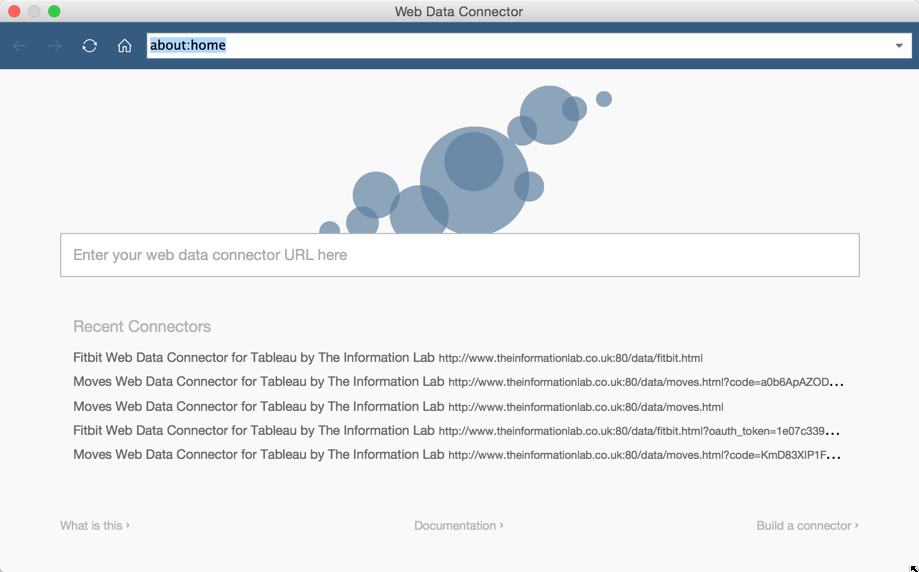 The Tableau Web Data Connector (WDC) is essentially the Extract API embedded directly into Tableau Desktop with javascript used as the wrapper to send data to it. This means that connector authors around the community can easily build Tableau connectors for any data source accessible via javascript but not currently listed in the native Tableau connections.When you think javascript you may think that these are going to be connections to websites, web services, APIs, etc. and you'd be right, however javascript is able to work with local files too meaning WDCs could parse local XML & JSON files for example.
2. So I need to learn javascript?
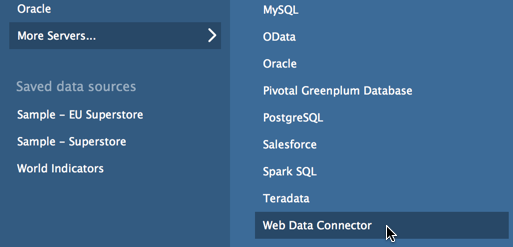 In order to make use of a WDC you need no programming experience what so ever. If you're aware of a WDC you want to make use, of all you need to know is the URL to access it at. Simply select 'Web Data Connector' from the connection list, enter or paste the URL of the WDC into the appropriate window and follow instructions presented by the WDC. Each WDC is unique and its interface depends on how the author has designed it.If you wish to create your own WDC you will need to know some javascript, although that in no way means you need to be an expert before you get started. If you have even just a small amount of programming experience you'll find it relatively straight forward to apply it to Javascript. Indeed one of the most popular programming techniques is the 'Google programmer', somebody who solves problems and learns methods by simply searching Google. Finally if you want to get into WDC programming but are totally lost and you'll be at the Tableau Conference 2015 in Vegas in October be sure to go to my session The New Tableau Web Data Connector: APIs, JSON & Javascript for Dummies.